How to add/update your SMTP settings
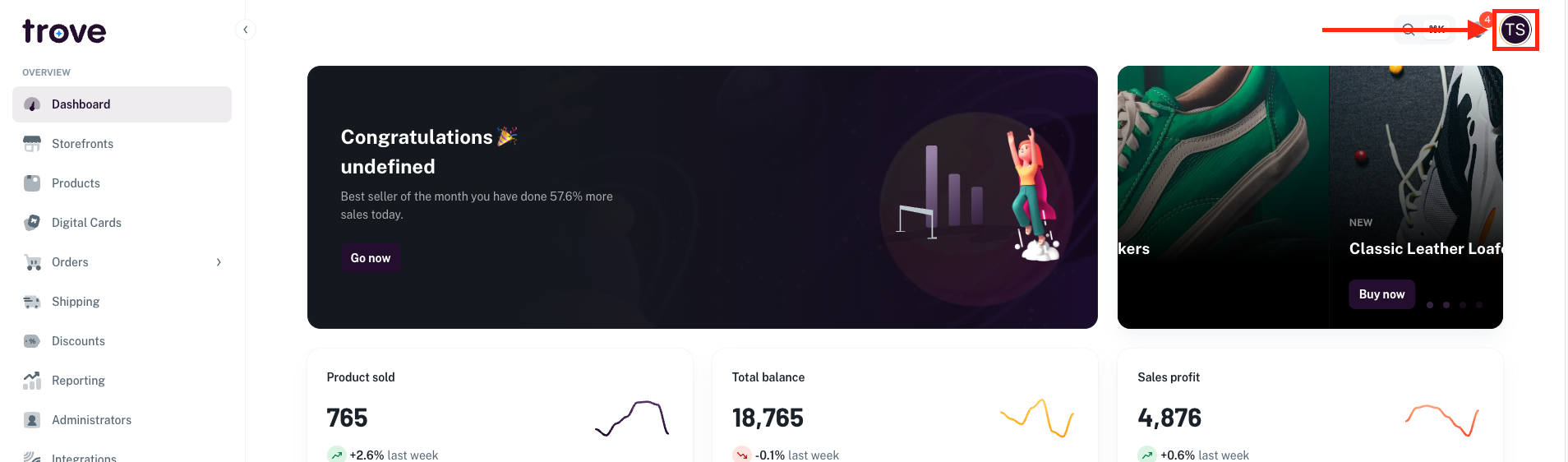
To update your SMTP settings, head to your profile icon in the top right of the page
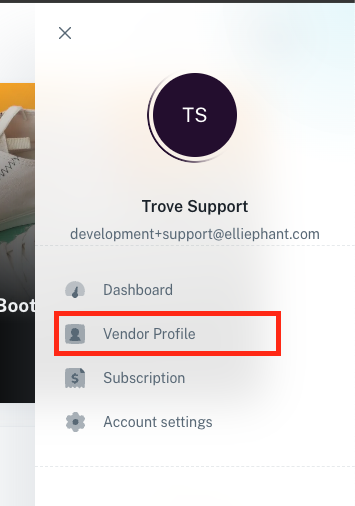
In the dropdown menu select "Vendor Profile"
On this page you will need to click on the "SMTP" tab
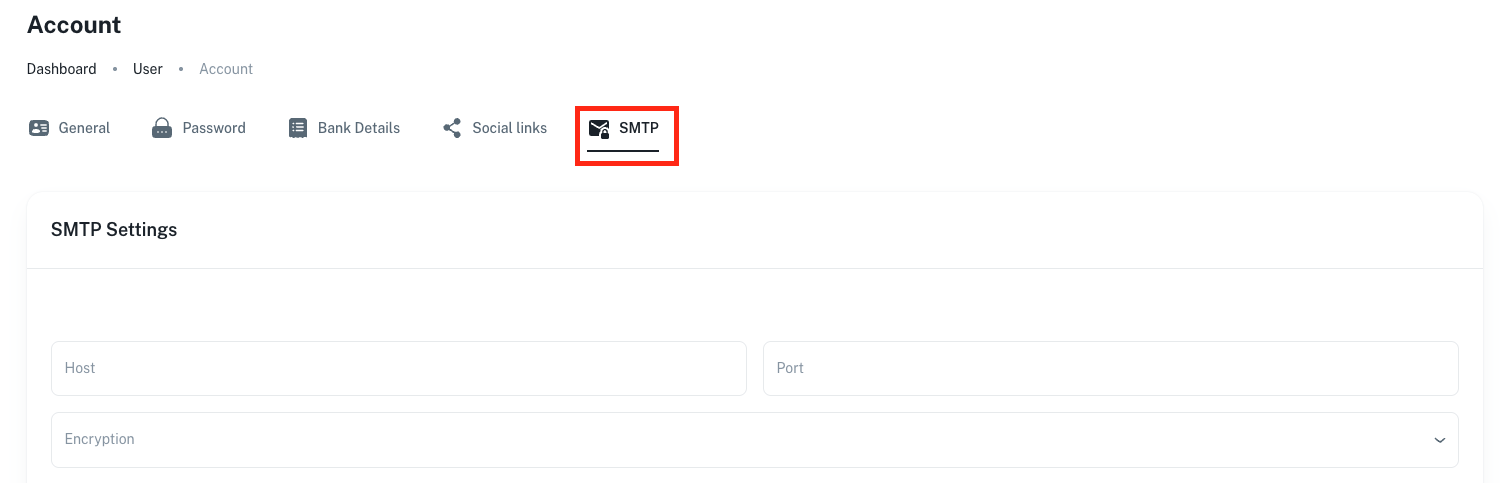
From here you will need to fill out your SMTP details which are as follows:
- SMTP Host
- SMTP Port
- Encryption type (either None, SSL or TLS)
- Username
- Password
- From name (the name you would like all emails to appear from)
- From email (the email you would like all emails to appear from)
Depending on your email provider we have a few helpful guides to help but all configurations are different so we recommend contacting your IT provider or Email Servicer: