How to confirm/approve your account
After registering, you will receive a confirmation email at the address you provided during sign-up.
You will receive an email that looks like the following:
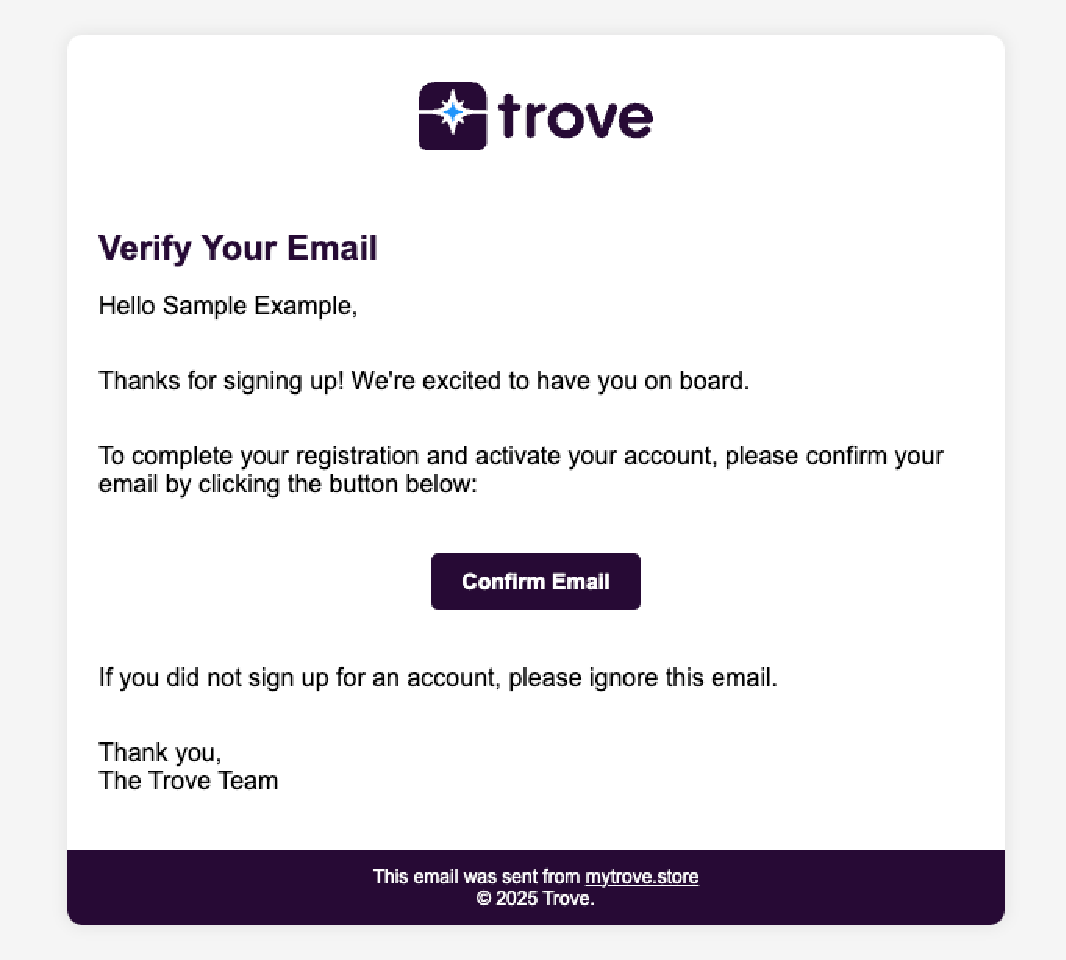
- Open the email and click the Confirm Email button.
- You will be taken back to the site and your account will be verified automatically.
- You can now log in and proceed with the setup wizard.
note
The confirmation link expires after 24 hours. If you don't confirm within this window you will need to request a new link.
If you have not received the confirmation email
- Check your spam or junk folder first.
- If it's not there, go to the login page at mytrove.store/login and enter your email and password.
- You will see an alert stating that your account is not yet active - follow the prompt to request a new confirmation email.
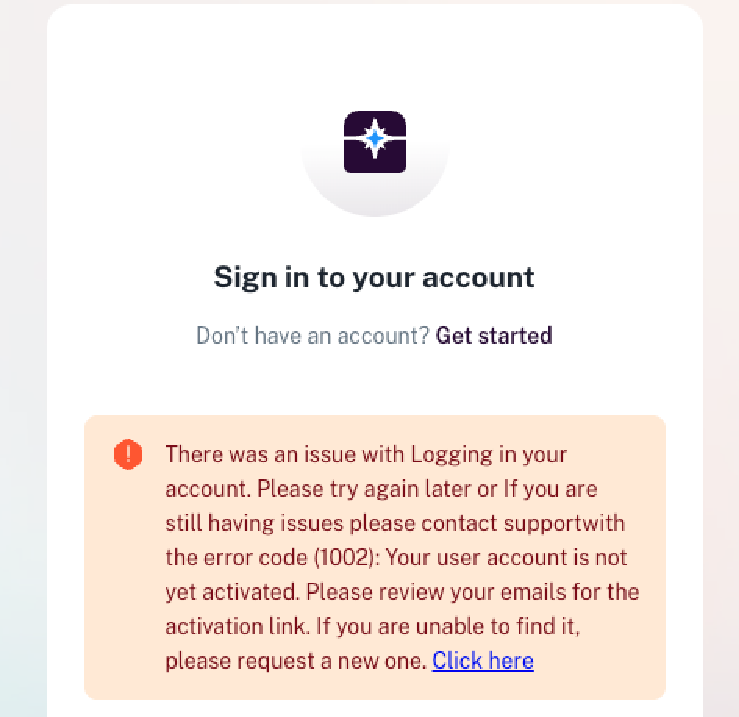
The new link will arrive shortly. You can request a resend up to 3 times every 60 seconds.
If you are still not receiving this email then submit a support ticket with our team here.