(Legacy) How to connect your Shopify account to Trove
This guide is for our legacy integration with Shopify. Please use the new integration guide: How to integrate your Shopify account with Trove
To set up your integration with Shopify you first need to complete the process in How to Get API Credentials From Your Shopify Account.
Once you have the details from that step, you will need to login to the admin of Trove and head to "Integrations".
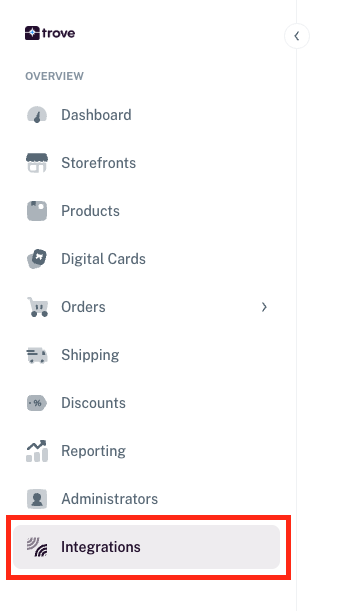
From there you will see the option to integrate with Shopify — click "Connect".
In the next popup it will list out some details to enter, this is where you use the credentials saved from the previous step.
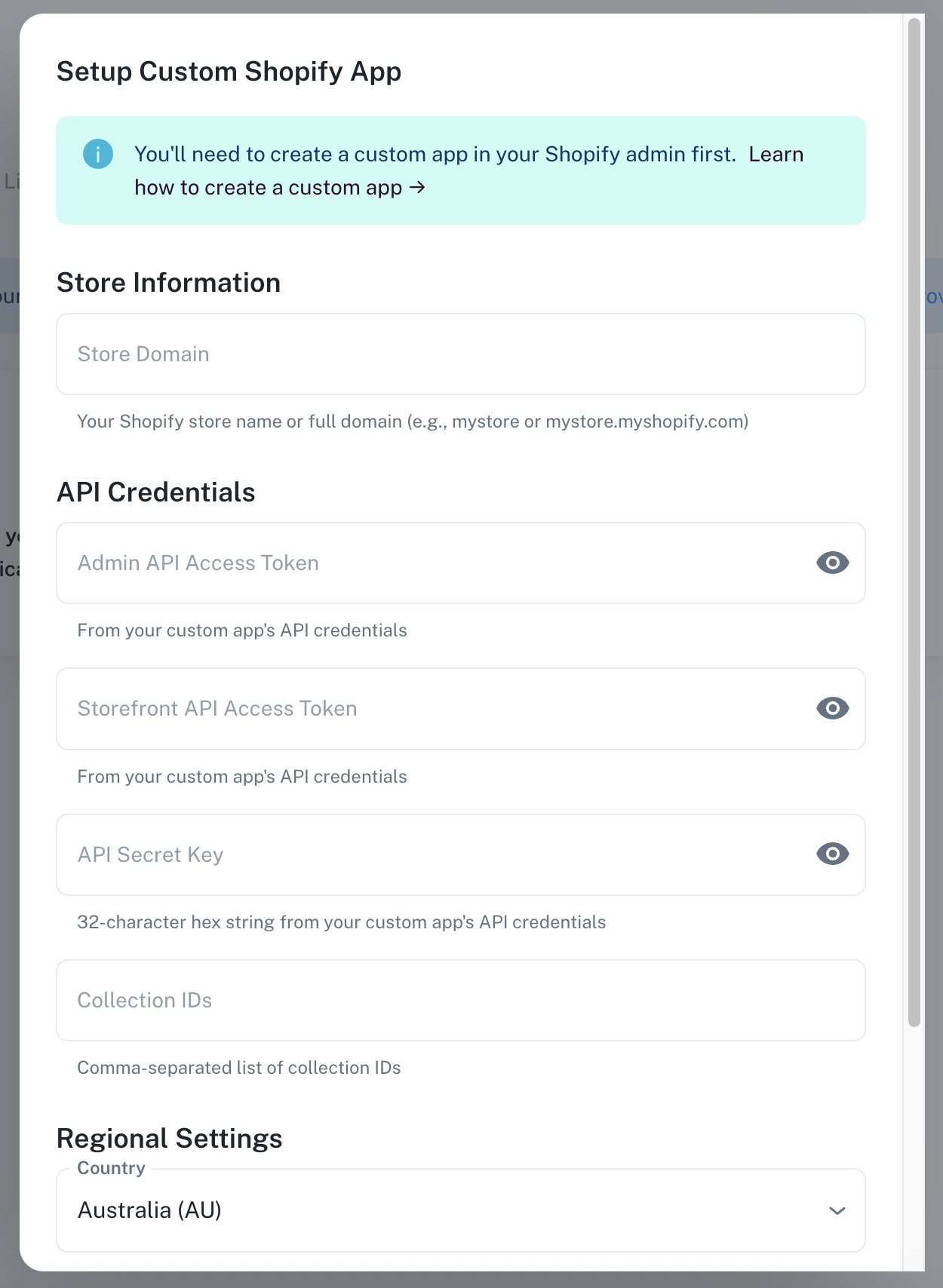
Once you have entered all the required details, before you click "Connect Custom App" test your credentials by clicking "Test Connection".
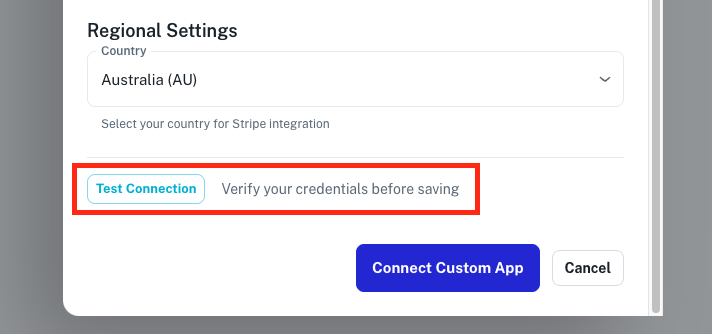
If there are any issues with the details entered, this will list out where the issue is. Once you have received all ticks, click "Connect Custom App".
Once you have done this your products will start to be imported. This might take a little time to complete.
While it is processing you will need to select which storefronts you wish to sync your orders from. To do this you will now see a new button on the integration page, "Details".
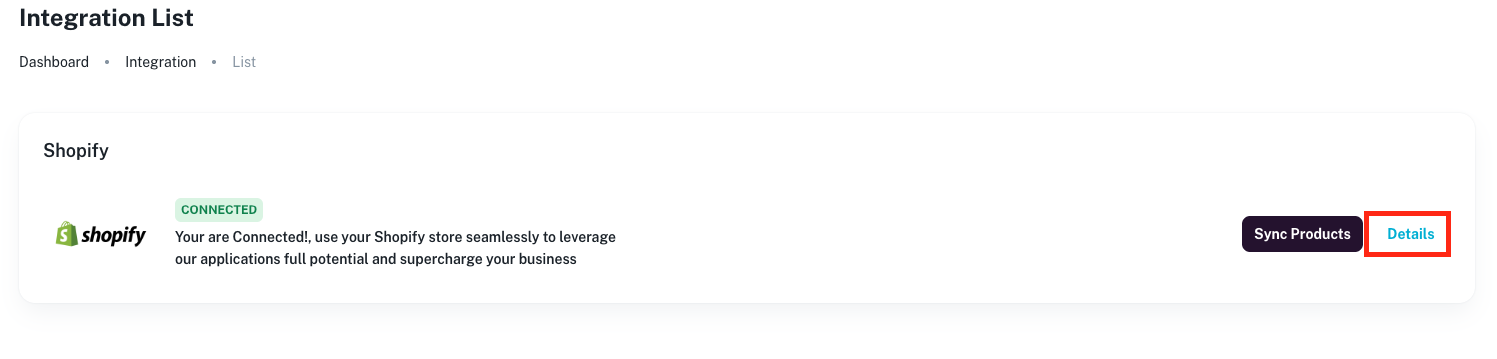
Once you click on this you will see the private details you entered as well as the list of storefronts on your site. You just need to click the stores you wish to sync your orders with and click "Save Settings".
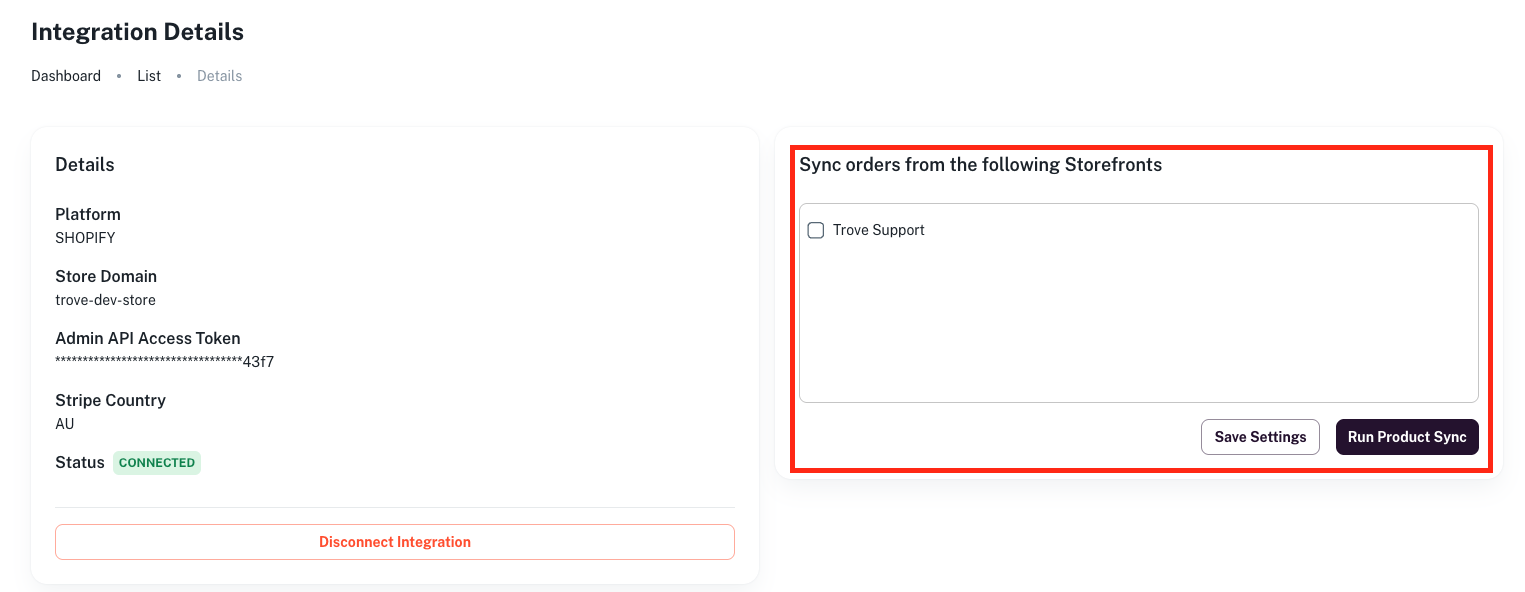
You will need to do this every time you add a new storefront if you wish to have order syncing with your Shopify store.