How to re-order my header links
To update your header links you will need to go to your menu item "Storefronts" then "Header Links"
Here you will see the list of your links
Providing that you have links in this list there will be 6 dots on the left hand side
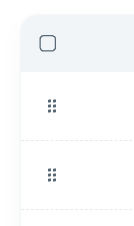
You can use these and drag and drop the links to put them in the correct order
This will auto save once placed in the right order
Related Articles
What are your storefront "header links"?
These are the links that can appear on the top of your storefront: This is in the position of "Sample Link" These links can be used to direct your customers to your home page, support, information pages or even a different storefront. Here are some ...How to update a header link
To update your header links you will need to go to your menu item "Storefronts" then "Header Links" Here you will see the list of your links To edit a selected link you will need to click on the 3 dots then edit Here you will see the edit form where ...How to remove a header link
To update your header links you will need to go to your menu item "Storefronts" then "Header Links" Here you will see the list of your links To edit a selected link you will need to click on the 3 dots then delete Once you have confirmed the deletion ...How to add a new header link
To update your header links you will need to go to your menu item "Storefronts" then "Header Links" Here you will see the list of your links or no links To add a new link you will need to click on the "New Link" button in the top right Here you will ...How to Change the Order of My Digital Cards
Navigate to Digital Cards in the left sidebar. In the cards list, locate the drag handle on the left side of each card row. Click and drag a card up or down to reposition it. Release the card in its new position. The order is saved automatically.