How to reset your Stripe account connection
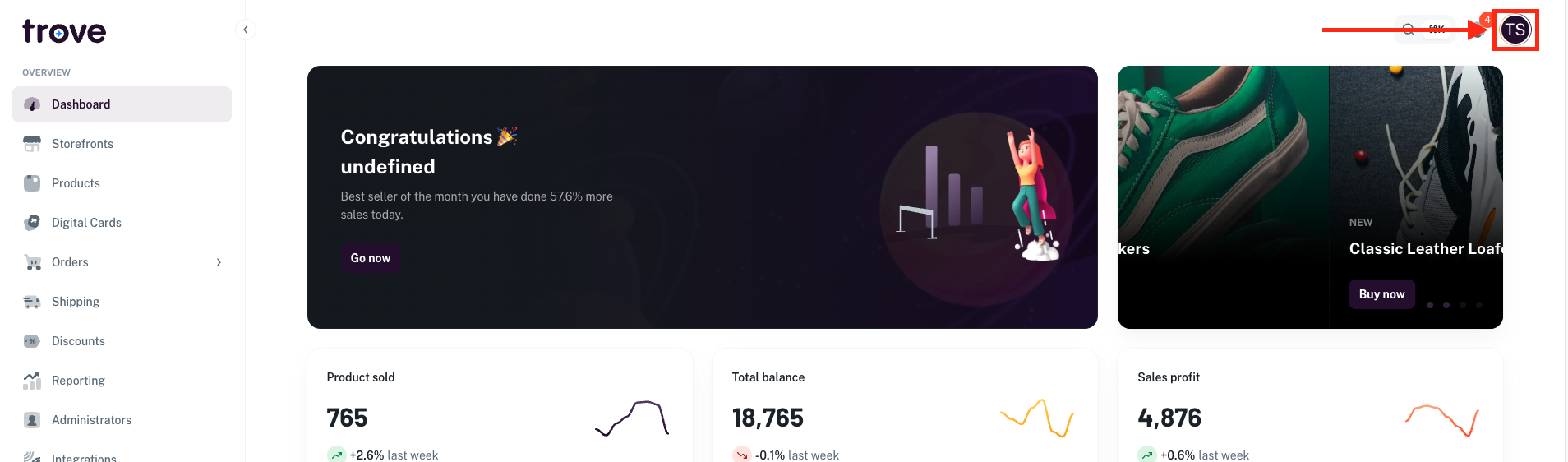
To reset your Stripe connection, head to your profile icon in the top right of the page
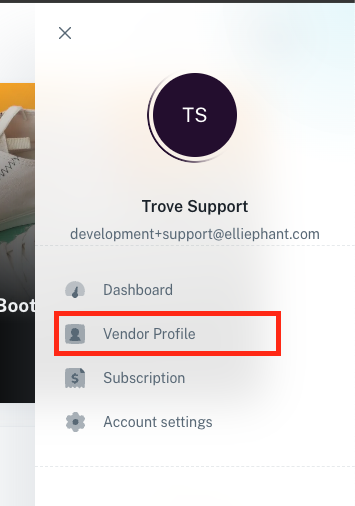
In the dropdown menu select "Vendor Profile"
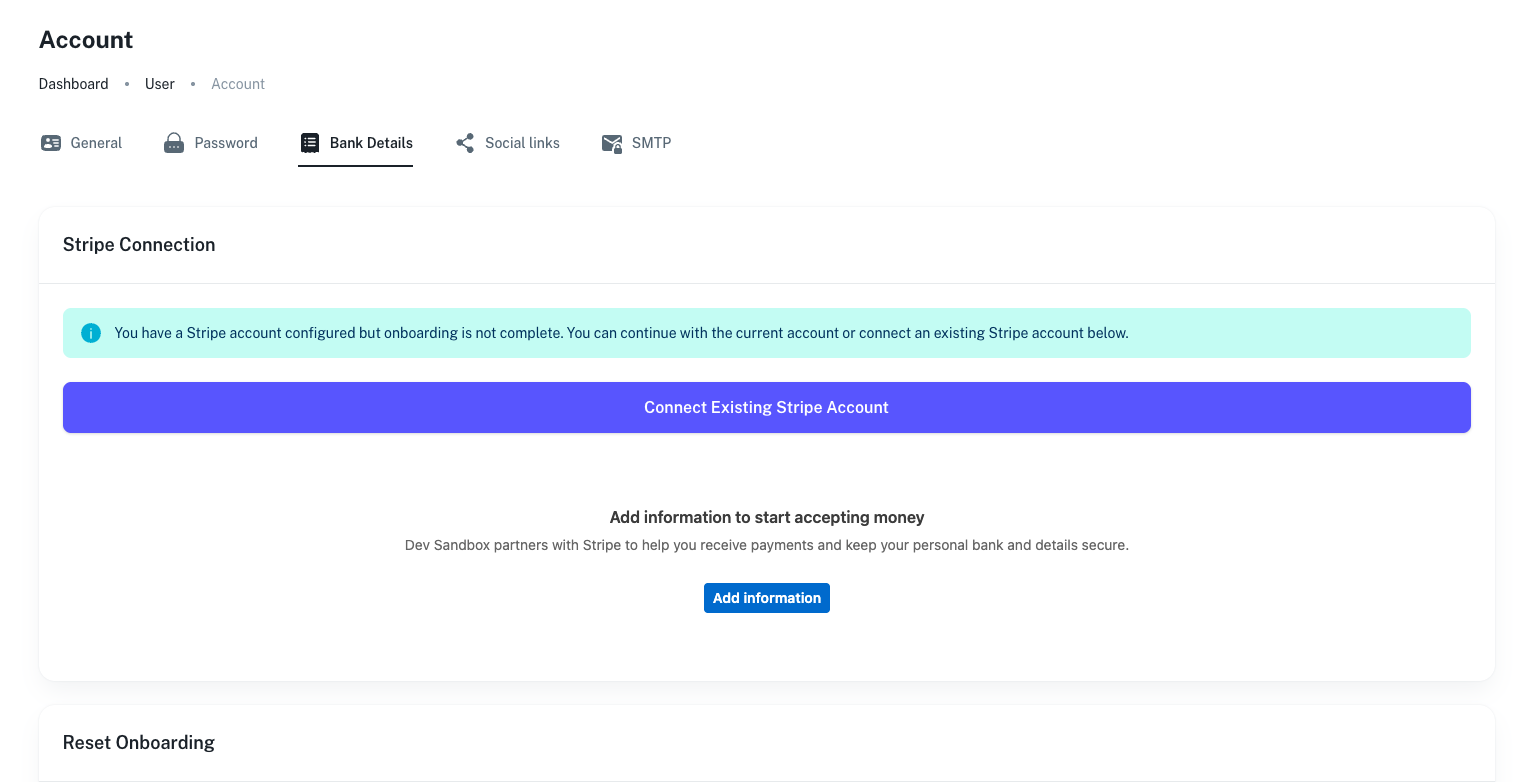
On this page you will need to click on the "Bank Details" tab

From here you will see the following:
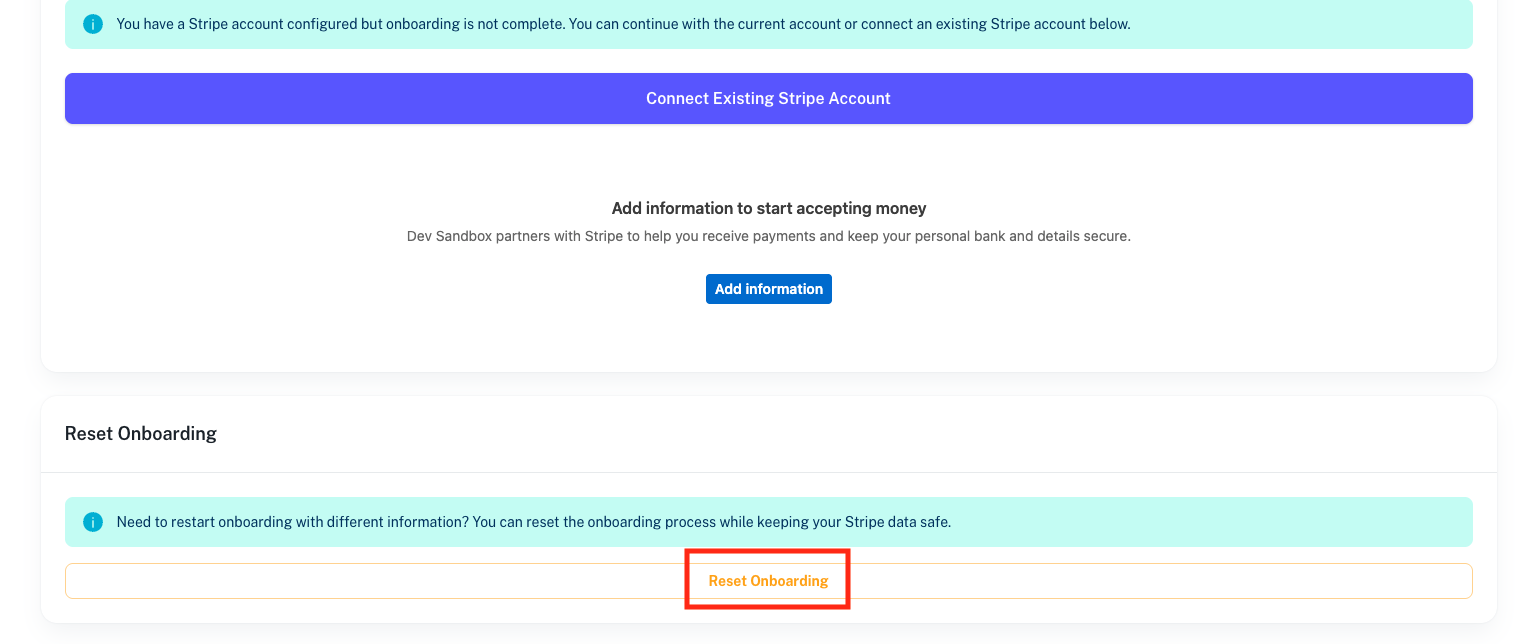
You just need to scroll down to the "Reset Onboarding" section and click on the "Reset Onboarding" button
Once confirmed your account will be reset and you can go through the connection process again to connect with a different email or connect to your existing account.