How to use an existing Stripe Account to start collecting payments
To receive payments through Trove, you'll need to connect your account to our payment provider, Stripe, using their secure onboarding flow. This only takes a few minutes.
You can use your existing Stripe account to complete this step.
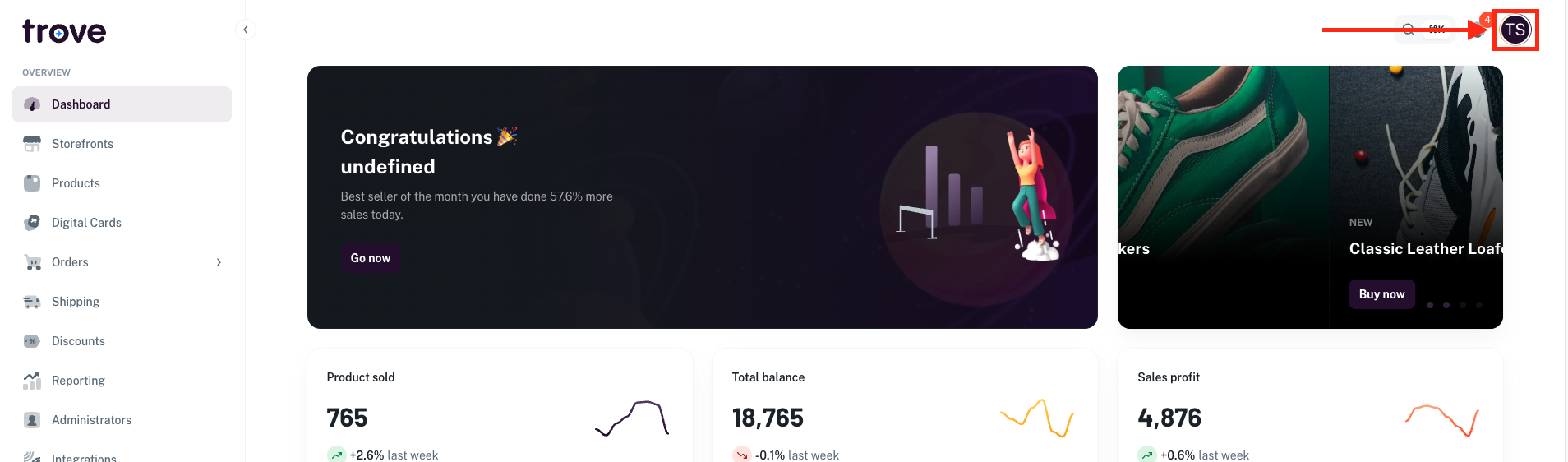
To connect and enter the details, head to your profile icon in the top right of the page
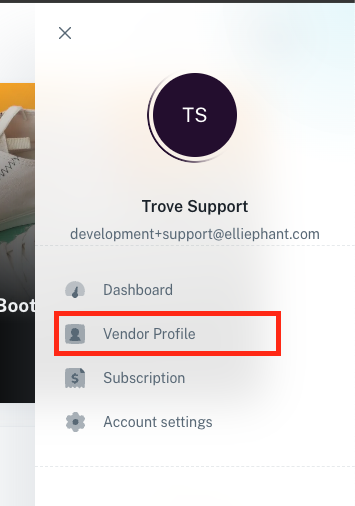
In the dropdown menu select "Vendor Profile"
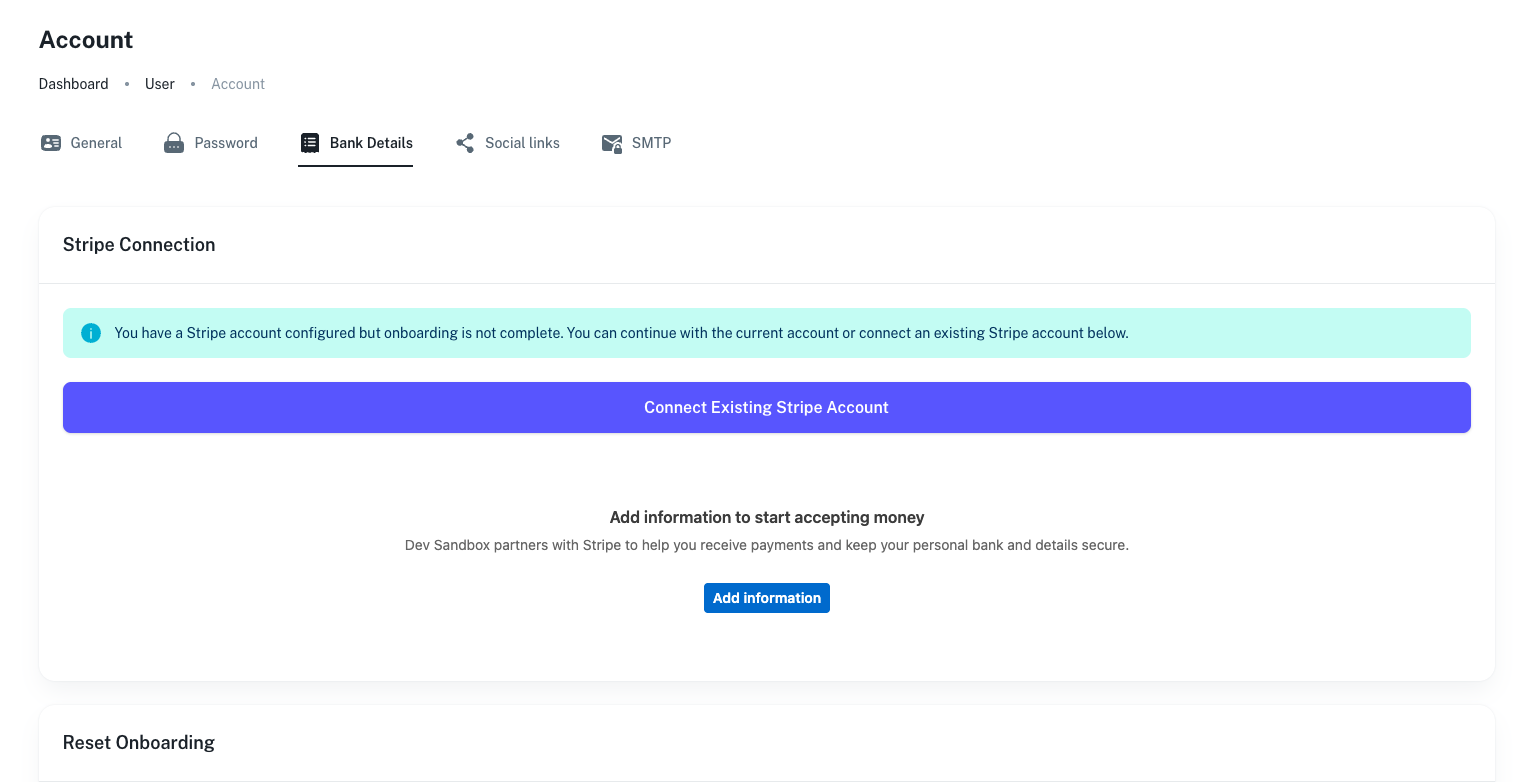
On this page you will need to click on the "Bank Details" tab

From here you will see the following:
To use your existing account you need to click "Connect Existing Stripe Account"
You will then be taken to the Stripe Authorisation Page
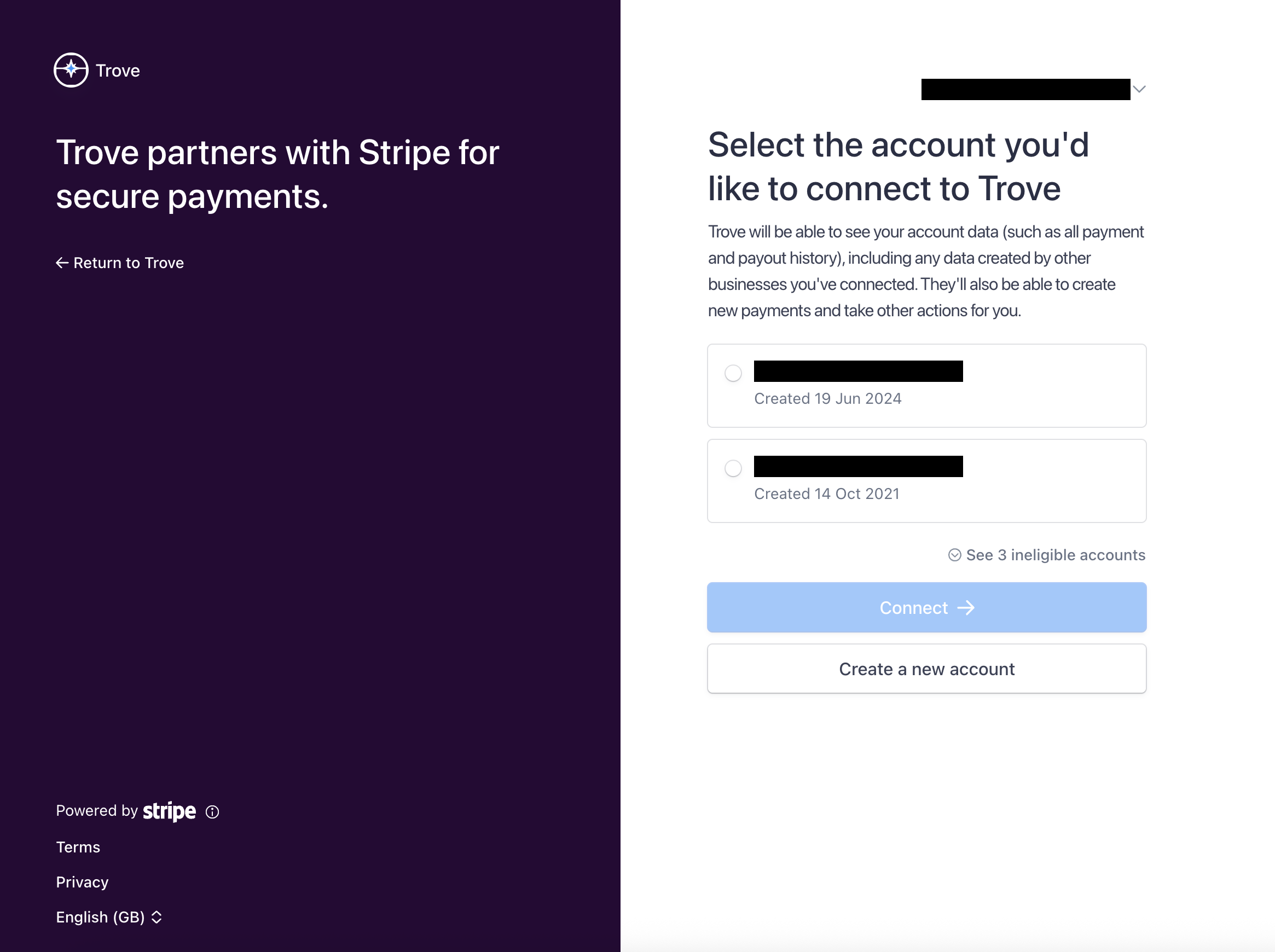
On this page you can login to your Stripe account and approve the connection or choose to create a new account.