Completing the Branding step
Before completing this step, here are the details you will need to prepare:
- Name for your vendor account
- Logo for your branding (Logo will be placed on a white background so if using a png keep this in mind)
- Primary branding colour (can use our colour picker or hex code)
This step looks like the following:
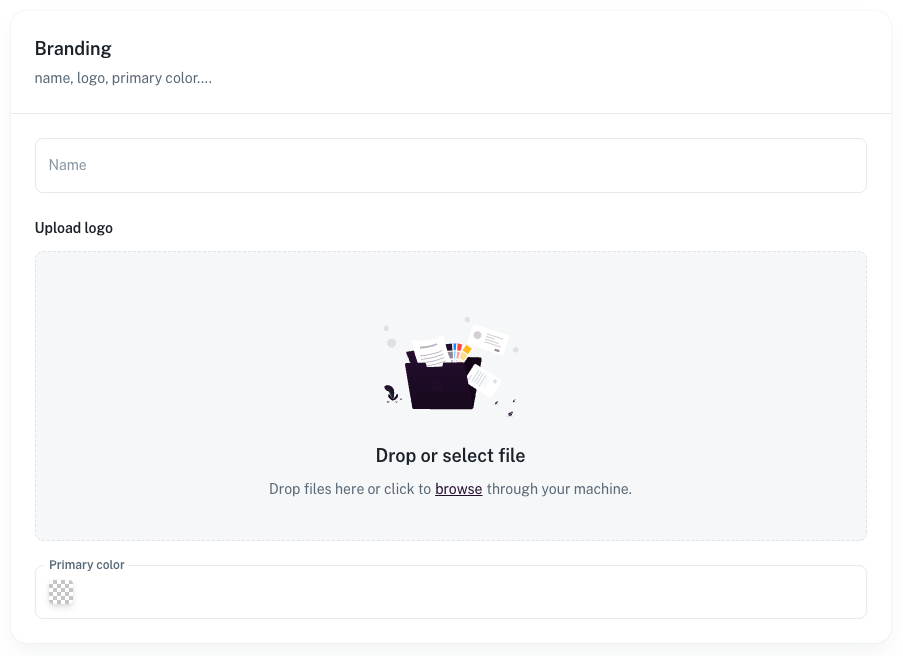
The name is your vendor name, the name that will appear to your customers in emails, order conformations etc.
The logo is your company logo, this can be uploaded in png or jpg format.
When uploading, make sure you are using a high enough quality version of your logo.
We recommend the size be at least 500px either width or height depending on your logo shape.
Also be aware that the logo will be sitting on a white background so using a white logo isn't recommended.
Lastly the primary colour is the main colour associated with your account.
Our recommendation would be to use a colour from your logo.
For example if this was your logo:

Then the colour selected would be the "red" in the icon
This can be entered using the colour picker or entering the hex code
You can also update this information at any time here