How to add new Storefront Info Notes?
To add in new info notes on your storefront you will need to be logged into your dashboard and go to "Storefronts" then "Info Notes"
From here you will see a list of your existing notes or an empty list
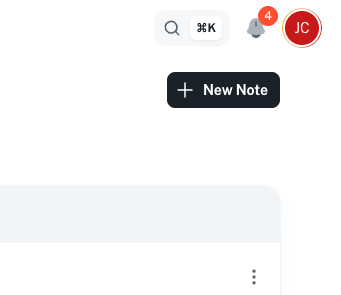
From here, to add a new note you will need to click on the button "New note" in the top right
From here you will have a form to enter your note information and you can select the storefront this note is visible on
Once you have filled out all the information you can click on "Create notes"
This will then save and add the note on all selected storefronts.
Related Articles
What are the Storefront Info Notes?
On your storefronts you have the option to have an info section for your buyers before they checkout. This info section is found at the bottom of the storefront here: You can update these at any time and can specify the notes on a per storefront ...How to delete your Storefront Info Notes?
To delete the info notes on your storefront you will need to be logged into your dashboard and go to "Storefronts" then "Info Notes" From here you will see a list of your existing notes or an empty list From here, to delete a note you will need to ...How to reorder your Storefront Info Notes?
To update the info notes on your storefront you will need to be logged into your dashboard and go to "Storefronts" then "Info Notes" From here you will see a list of your existing notes or an empty list Providing that you have notes in this list ...How to update your Storefront Info Notes?
To update the info notes on your storefront you will need to be logged into your dashboard and go to "Storefronts" then "Info Notes" From here you will see a list of your existing notes or an empty list From here, to edit a note you will need to ...How to create a new storefront
To create a new storefront you need to go to the list of storefronts here: Here you can see the list of your storefronts and to create a new one you just need to click on the option at the top called "New Store" You then have a few details to fill ...